Two Adults, Ninety Accounts, One Afternoon. How to Get a Household Password System Running
A practical sequence for setting up passwords across a household: the inventory first, then the three accounts that protect everything else, then the paperwork that survives a lost phone.
| Author | Corinne Adeyemi |
|---|---|
| Section | Innovation |
| Published | |
| Length | 1,344 words · 6 min |
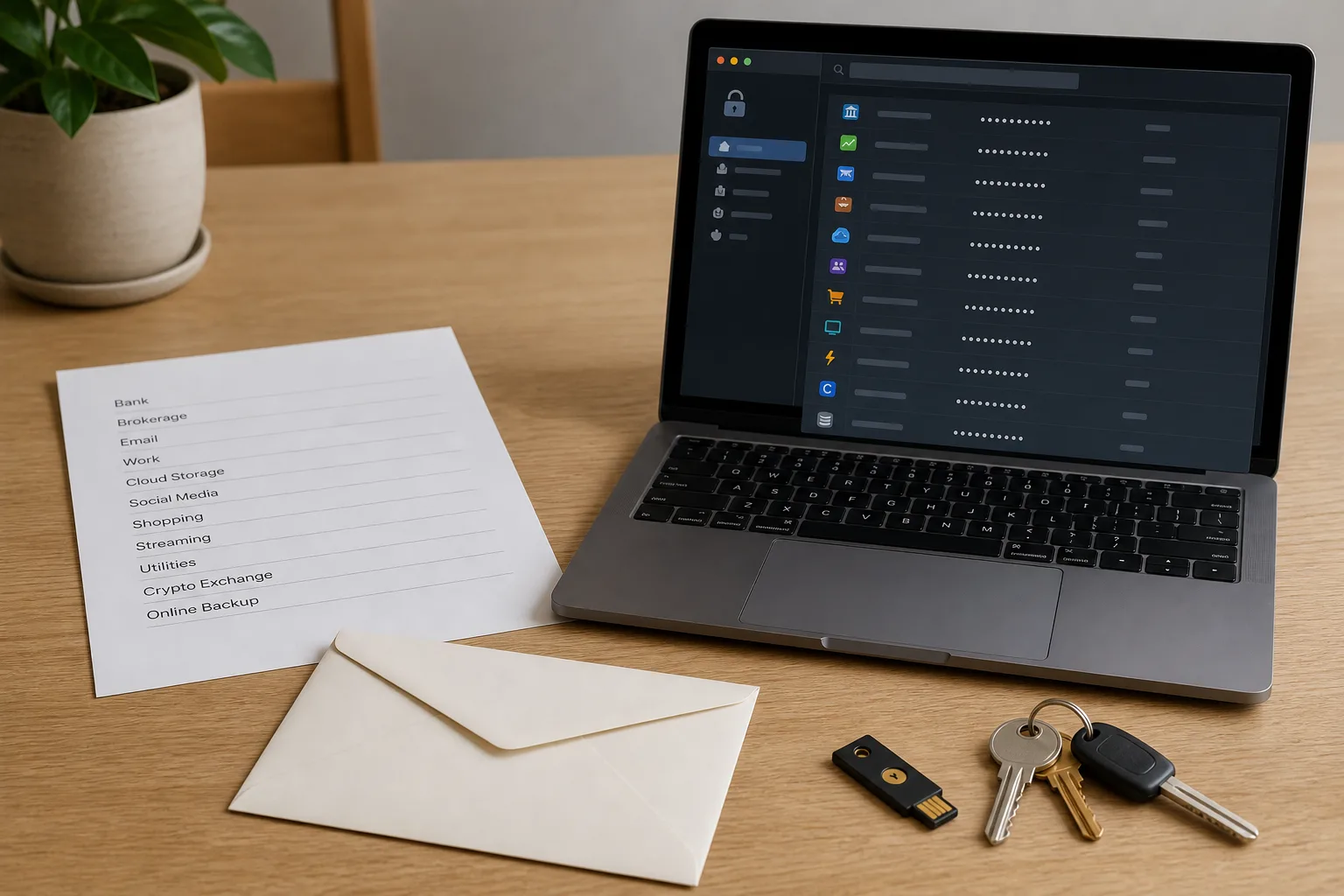
The reason most households never fix their passwords is not laziness. It is that the job looks infinite. Somewhere between the bank, the utility portal, the kid's school lunch account and the streaming service your sister still uses, there are dozens of logins, and no obvious place to start. So the work gets deferred, and the deferral is covered by reusing one password with a number on the end. What follows is a sequence that fits in a single afternoon, with a second shorter session a week later. It is deliberately ordered, because doing these steps out of order is how people lock themselves out of their own email.
Start with an inventory, not a tool
Before you choose software, write down what you actually have. Open a blank document or a sheet of paper and work through four sources in order: the saved passwords already sitting in your browser, the apps installed on your phone, the last three months of bank and card statements (every recurring charge is an account someone made), and your email inbox searched for the words "welcome" and "verify your email." That fourth search is the one that surprises people. It surfaces the accounts you forgot opening, which are also the accounts most likely to turn up in somebody else's breach notice.
You do not need the passwords yet. You need names. Expect the list to run longer than you guessed, and do not let that discourage you, because the next step shrinks it dramatically. Sort every line into three tiers. Tier one is anything that holds money, identity, or the ability to reset other accounts: email, phone carrier, banks, brokerage, the IRS account if you have one, the password manager itself. Tier two is accounts with a stored card or a real address: retailers, utilities, insurance portals. Tier three is everything else, the forums and recipe sites and one-time checkouts.
Tier three is where the old advice did the most damage. Trying to give sixty throwaway accounts unique memorized passwords is what drove people to a reused pattern in the first place. Generate random passwords for them, store them, and never think about them again. The afternoon's real work is tier one, which for most households is six to ten lines.
Fix the three accounts that control the rest
Email first. Every other account on your list has a "forgot password" button that sends a message to your inbox, which means your email password is functionally the master key to your entire financial life. Give it a long, unique, randomly generated password, turn on two-factor authentication, and prefer an authenticator app or a physical security key over text messages. Then do the same for your phone carrier account, because text-message codes can be redirected by anyone who persuades the carrier to move your number to a new SIM. Ask the carrier to add a port-out PIN or account passcode while you are in there. That is a phone call, not a web form, and it is worth the fifteen minutes.
Third is the password manager itself. Its master password is the one credential in the household that nobody can recover for you by design, and that is the point. Make it a passphrase of four or five unrelated words, write it down once on paper during setup, and practice typing it from memory a few times that same day. This is the part I would tell you not to improvise. Do not invent your own scheme for scrambling words, do not keep the master password in a file on the desktop called notes, and do not store it in the browser that the manager is supposed to replace.
The National Institute of Standards and Technology is the federal body responsible for digital identity guidance, and the direction of its recommendations over the past several years has been consistent: length and uniqueness matter, forced complexity rules and scheduled expiration do not, and checking a password against known breached lists is more useful than demanding a symbol. Household practice can follow the same logic. Long and unique, changed when there is a reason, left alone when there is not.
The paperwork that makes it survivable
A password system that only exists inside one unlocked phone is not a system. It is a single point of failure with a nice interface. The paperwork step is short and it is the one people skip.
Print or write, on actual paper, a one-page emergency sheet containing: the master passphrase for the vault, the recovery key the manager generated at setup (most issue a long code and tell you to save it, and most people click past it), the backup codes for two-factor on your email account, and the carrier account PIN. Nothing else goes on this page. No bank passwords, no account numbers. It is a key to the system, not a copy of it.
Store that page somewhere a burglar would not browse and a fire would not reach first. A sealed envelope in a home safe works. So does a bank safe deposit box, with the caveat that you cannot get into it at nine o'clock on a Sunday. Many households keep two copies: one at home for convenience, one with a parent, sibling, or attorney for disaster. Date the envelope. When you regenerate any of those codes, replace both copies and shred the old one. An out-of-date recovery sheet is worse than none, because you will trust it under pressure.
Sharing inside a household without reusing anything
Two people in a house genuinely need access to some of the same accounts: the mortgage servicer, the pediatrician portal, the home insurance login, the streaming subscriptions. The wrong solution is a shared password everyone memorizes. The right one is a shared vault folder inside the password manager, with each adult holding their own master password and their own login to the manager. Put joint financial and household accounts in the shared folder. Keep personal email, personal devices, and individual work accounts out of it.
Then set up emergency access, which nearly every mainstream manager now offers under some name. You nominate a trusted contact who can request access to your vault; you are notified, and if you do not decline within a waiting period you set, access is granted. For spouses this is the practical answer to the question of what happens if one person is in the hospital. For a parent's accounts, it is often cleaner than any informal arrangement, and it leaves a record of who asked and when.
Teenagers get their own manager account, not a seat in the adult vault. It gives them a place to put school and gaming logins that is not a reused password, and it teaches the habit at the age when it costs nothing to learn.
What replaces the ninety-day rotation
Scheduled password changes are gone, and nothing needs to replace the calendar entry. What replaces it is a set of triggers. Change a password when a service tells you it was breached, when your manager's built-in breach check flags a credential, when a shared account stops being shared because someone moved out, and when you have used a device you do not control. Those are the four. Everything else can sit.
Put one recurring reminder on the calendar instead, maybe twice a year, for a twenty-minute review: run the manager's security report, clear the handful of reused passwords it finds, confirm the emergency sheet still matches reality, and delete accounts you no longer use. Deleting is underrated. An account that does not exist cannot leak.
A week after the afternoon session, sit down and do tier two in one pass: as you log into each retailer and utility over normal use, let the manager generate and save a new password. Spread across ordinary life, it costs nothing. By the time the second session comes around, the list you were afraid of has mostly handled itself, and the only thing you still have to remember is one passphrase and where the envelope is.
About the author
Corinne writes for readers doing some of the work themselves.